
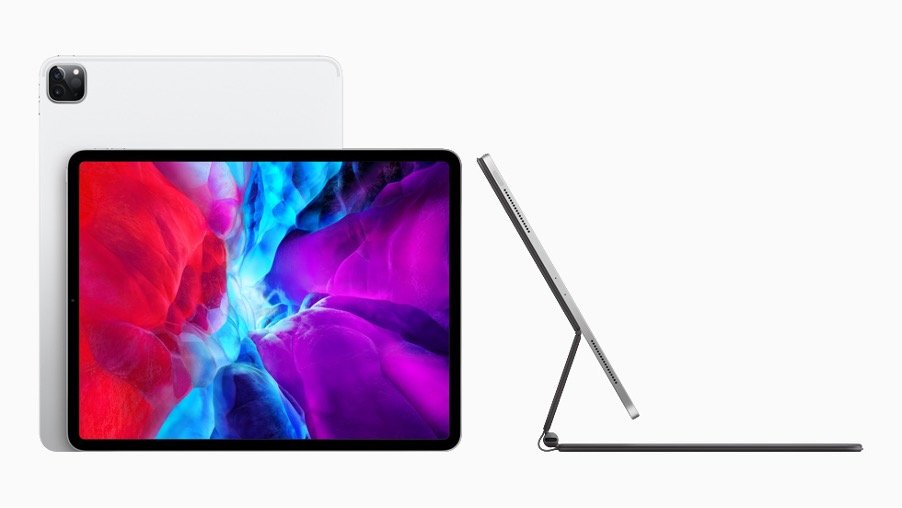
Credit: Apple.com
iPad Pro (M5) vs Surface Pro (Copilot+ PC): Battle of the Ultimate 2-in-1s in Singapore
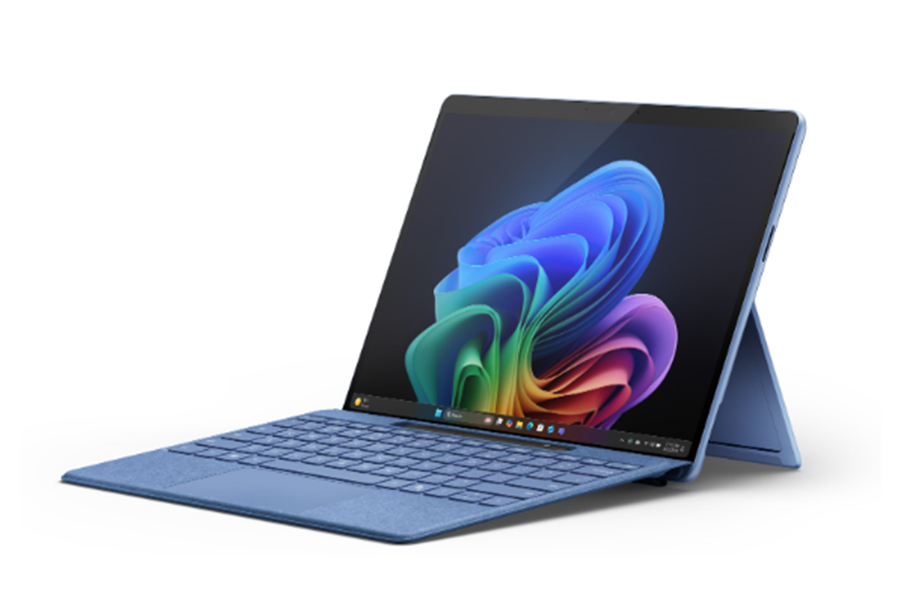
Credit: Microsoft.com
Meta In November 2025, Apple and Microsoft bring their most advanced 2-in-1 devices to Singapore — the iPad Pro (M5) and the Surface Pro (Copilot+ PC). This guide compares their chipsets, displays, accessories, AI features, and — crucially — Singapore pricing & availability, so you can decide which one fits your workflow and budget.
Table of Contents
Introduction: A Premium Showdown in November 2025
Singapore’s tech scene is buzzing again. Microsoft’s Copilot+ PC lineup arrived mid-year, bringing AI-first Windows hardware, and Apple followed with its iPad Pro powered by the M5 chip. Both promise “do-everything” power for creators, students, and on-the-go professionals — but they take very different paths to get there.
If you want deeper context on the Windows side, don’t miss our in-depth Surface Pro (Copilot+ PC) review — we’ll reference it where relevant in this head-to-head.
🧠 The Brains: Apple M5 vs Snapdragon X Plus
Apple M5 (iPad Pro) delivers a big leap in on-device AI and GPU performance over M4. Apple’s Neural Engine accelerates creative workloads — think complex brushes in Procreate, 4K timelines in Final Cut, or multi-layer edits in Affinity Photo — without breaking a sweat.
Snapdragon X Plus (Surface Pro) brings an efficient 8-core CPU with a dedicated NPU rated for high TOPS. In real workflows, that unlocks Windows 11 Copilot+ features like live captions/translations, Recall-style search, and AI-assisted content creation baked into the OS.
💻 Display & Design: Ultra Retina XDR vs PixelSense Flow
iPad Pro (M5) retains the stunning Ultra Retina XDR tandem-OLED display (high HDR brightness, deep contrast, ProMotion). For colour-critical work — grading, illustration, photography — it’s simply gorgeous.
Surface Pro offers a sharp PixelSense Flow display at 12 inches (with a 13-inch OLED option in some configurations). It’s bright and crisp, excellent for documents, browsing, and productivity in the classic 3:2 aspect ratio.
⚙️ Performance & Multitasking
iPad Pro (M5) is ridiculously responsive under heavy creative loads while staying cool and efficient. Stage Manager has matured, making external display workflows far smoother than early iPadOS iterations.
Surface Pro (Copilot+ PC) runs full Windows 11. That means Visual Studio, Power BI, SQL tools, the full Office suite, and countless specialized apps that don’t exist on iPadOS. It’s a “real laptop” that can go tablet-mode when you want to draw or take notes.
🧩 Accessories & Input Experience
iPad Pro pairs with Magic Keyboard (floating design, excellent trackpad) and Apple Pencil Pro (haptic feedback, rotation sensing). It feels premium — and very Mac-adjacent — while still being tablet-first.
Surface Pro works with the Surface Pro Keyboard and Slim Pen 2. The typing feel is superb for long sessions, and the Slim Pen’s haptics convincingly mimic paper friction. Many Singapore retailers bundle the keyboard/pen during promos.
🔌 Connectivity & Ports
iPad Pro (M5) supports Wi-Fi 6E, optional 5G on cellular models, and a single USB-C/Thunderbolt port. It’s fast — but you’ll likely want a hub for multi-peripheral setups.
Surface Pro offers dual USB-C ports, Wi-Fi 7 in some configs, optional 5G models, and the flexibility of Windows file management. Plugging into docks, SSDs, and monitors feels more “PC-native.”
💸 Singapore Prices & Availability (as of Nov 2025)
| Model | Base Configuration | Starting Price (SGD) | Availability |
|---|---|---|---|
| Apple iPad Pro (M5) — 11" Wi-Fi | M5 / 256 GB | S$1,499 (est.) | Available from 22 Oct 2025 |
| Apple iPad Pro (M5) — 13" Wi-Fi | M5 / 256 GB | S$1,999 (est.) | Available from 22 Oct 2025 |
| Microsoft Surface Pro — 12" (Copilot+ PC) | Snapdragon X Plus / 16 GB / 256 GB | S$1,199 | Retail since 1 Jul 2025 |
| Microsoft Surface Pro — 12" (512 GB) | Snapdragon X Plus / 16 GB / 512 GB | S$1,349 | Retail since 1 Jul 2025 |
Tip: Watch 11.11 and 12.12 promos in Singapore. Apple Authorised Resellers (iStudio, Harvey Norman) sometimes bundle Pencil/Keyboard credits; Microsoft Store/Challenger often discount the Surface Keyboard + Slim Pen or offer trade-in bonuses. Students and educators should check education pricing for both brands.
🧾 Quick Comparison Table
| Feature | iPad Pro (M5) | Surface Pro (Copilot+ PC) |
|---|---|---|
| OS | iPadOS | Windows 11 Copilot+ |
| Chip | Apple M5 (9/10-core) | Snapdragon X Plus (8-core) |
| Display | Ultra Retina XDR OLED, 120 Hz | PixelSense Flow LCD/OLED, up to 90 Hz |
| AI/NPU | Apple Neural Engine | High-TOPS NPU for Copilot+ features |
| Ports | 1 × USB-C (Thunderbolt) | 2 × USB-C (+ Surface Connect) |
| Battery | ~10 hours (mixed) | ~7–8 hours (mixed, config-dependent) |
| Stylus | Apple Pencil Pro | Surface Slim Pen 2 |
| Keyboard | Magic Keyboard (floating) | Surface Pro Keyboard |
| Starting Price (SG) | S$1,499 (11") | S$1,199 (12") |
| Best For | Creators, designers, mobile video/photo | Developers, analysts, enterprise apps |
⚖️ Oleohub’s Verdict: Which One Should You Buy?
Both devices are exceptional — but their identities remain clear. The iPad Pro (M5) is a creative powerhouse disguised as a tablet, while the Surface Pro (Copilot+ PC) is a true Windows laptop that happens to be a tablet when you want it.
- Choose iPad Pro (M5) if you’re a designer/artist or you live in Apple’s ecosystem and want the best portable canvas with top-tier OLED.
- Choose Surface Pro if you need Windows software (coding, BI, enterprise tools), flexible ports, and a 2-in-1 that can replace your laptop.
Next up: Read our deep-dive Surface Pro (Copilot+ PC) review for benchmarks, battery tests, and real-world performance — then compare deals from Singapore retailers during 11.11 and 12.12.
Disclosure: This post may contain affiliate links. If you purchase through these links, we may earn a commission at no extra cost to you.