add_action('init', function () { $labels = array( 'name' => 'Reviews', 'singular_name' => 'Review', 'menu_name' => 'Reviews', 'add_new' => 'Add Review', 'add_new_item' => 'Add New Review', 'edit_item' => 'Edit Review', 'new_item' => 'New Review', 'view_item' => 'View Review', 'search_items' => 'Search Reviews', 'not_found' => 'No reviews found', 'not_found_in_trash' => 'No reviews found in Trash', ); register_post_type('review', array( 'labels' => $labels, 'public' => true, 'menu_icon' => 'dashicons-star-filled', 'has_archive' => true, 'rewrite' => array('slug' => 'reviews'), 'supports' => array( 'title', 'editor', 'thumbnail', 'excerpt', 'author', 'revisions' ), 'show_in_rest' => false, // Classic Editor compatible )); });
Select Page

AnyUnlock Review (2025): Unlock iPhone Passcode, Apple ID, MDM & Screen Time

AnyUnlock by iMobie Review: Features, Pricing, and Why You Should Buy It
 

Download for Free

Being locked out of your iPhone can quickly turn into a frustrating experience. Whether you forgot your screen passcode, purchased a second-hand iPhone still linked to the previous owner’s Apple ID, or are dealing with MDM or Screen Time restrictions, AnyUnlock by iMobie is designed to help you regain control of your device.

In this review, we’ll take a closer look at what AnyUnlock offers, its key features, pricing, and why it’s a valuable tool for iPhone and iPad users.
What Is AnyUnlock by iMobie?

AnyUnlock is a professional iOS unlocking software developed by iMobie Inc., a well-known company behind popular Apple utilities such as AnyTrans and AnyFix. The software provides an all-in-one solution for removing different types of locks from iPhones, iPads, and iPod touch devices.

What makes AnyUnlock appealing is its user-friendly design. You don’t need technical expertise — the software guides you through each step, making it suitable even for beginners.

Key Features of AnyUnlock

1. Unlock iPhone Screen Passcode

AnyUnlock allows you to remove various types of screen locks, including 4-digit and 6-digit passcodes, Touch ID, and Face ID. This feature is useful if you’ve forgotten your passcode or if your iPhone has been disabled after too many incorrect attempts.

Note: Removing the screen passcode will erase existing data on the device, which is standard for iOS security.

2. Remove Apple ID Without Password

If you no longer remember your Apple ID password or purchased a used device that’s still linked to another account, AnyUnlock can remove the Apple ID and allow you to sign in with a new one.

3. Bypass iCloud Activation Lock

Activation Lock is designed to protect lost or stolen devices, but it can also be a problem for legitimate owners. AnyUnlock supports bypassing iCloud Activation Lock on compatible devices, making it especially helpful for second-hand iPhone buyers.

4. Remove MDM Restrictions

Mobile Device Management (MDM) profiles can limit access on company-issued or school devices. AnyUnlock helps remove MDM restrictions, allowing full control of your device without configuration limitations.

5. Remove Screen Time Passcode

If you forgot your Screen Time passcode, AnyUnlock can remove it without deleting your data. This feature is especially useful for parents managing family devices or shared iPhones.

6. iTunes Backup Password Recovery

Encrypted iTunes backups can become inaccessible if the password is forgotten. AnyUnlock includes tools to recover or remove backup encryption passwords so you can access your data again.
Compatibility

  • Supports most iPhone, iPad, and iPod touch models
  • Works on both Windows and macOS
  • Compatible with a wide range of iOS versions

Pricing Overview

AnyUnlock is a paid software, but it offers flexible licensing options depending on your needs. Users can choose between individual feature licenses or the complete toolkit.

  • Short-term plans for one-time unlocking needs
  • Annual licenses for regular use
  • Lifetime licenses for long-term value

The full toolkit is the most cost-effective option if you need access to multiple unlocking features.

Why You Should Buy AnyUnlock

  • Saves time compared to visiting repair shops or service centers
  • No advanced technical knowledge required
  • Multiple iOS unlocking solutions in one software
  • Trusted brand with customer support and refund policy

Pros and Cons

Pros

  • Easy-to-use interface
  • Wide range of unlocking features
  • Supports both old and new Apple devices

Cons

  • Not a free tool
  • Some unlocking processes may erase data

Final Verdict

AnyUnlock by iMobie is a reliable and versatile iOS unlocking solution that covers nearly every common lock scenario. While it’s a paid tool, the convenience, ease of use, and wide feature set make it a worthwhile investment for users who need to regain access to their Apple devices.

If you’re locked out of your iPhone or iPad and need a safe, beginner-friendly solution, AnyUnlock is definitely worth considering.

👉 Check the latest pricing and available discounts on the official AnyUnlock website.
Why I Checked the Serial Number Before Setup?


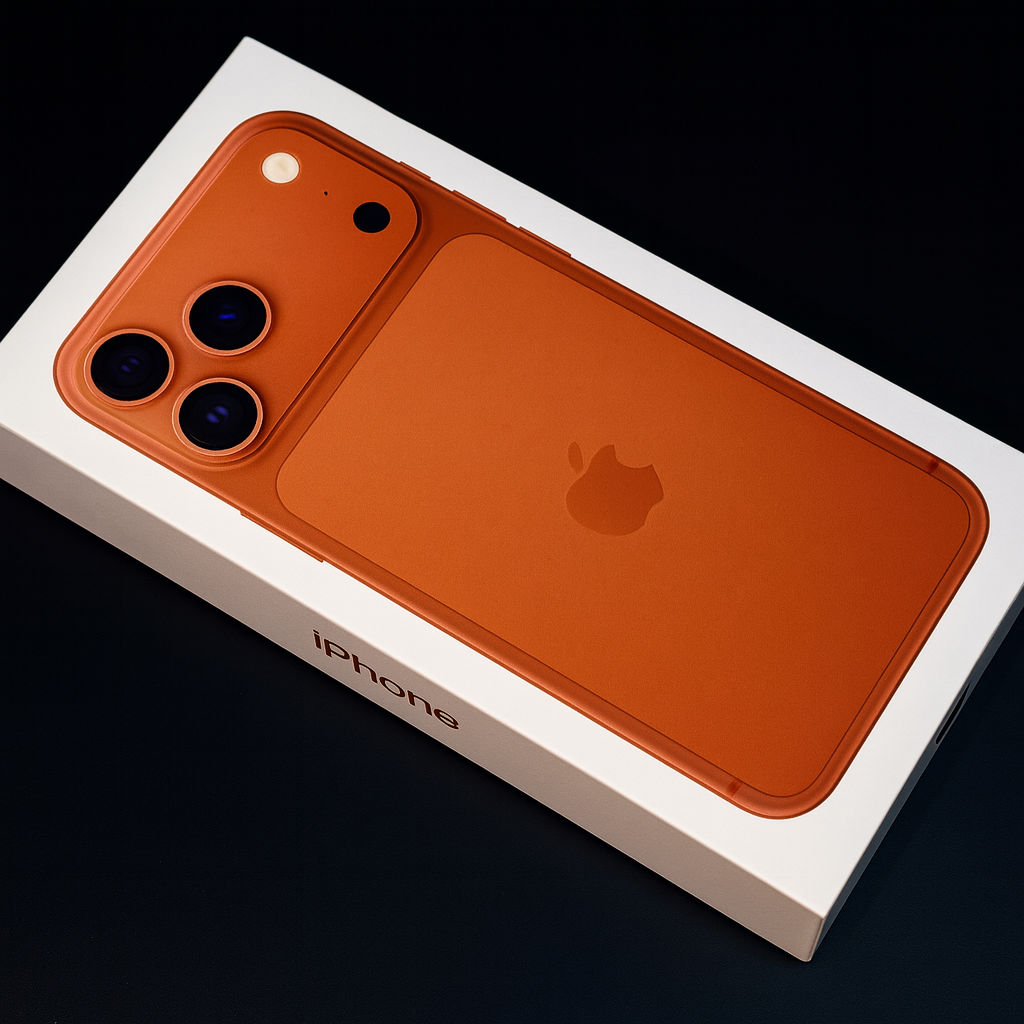
iPhone 17 Pro Max unboxing and serial number check


Hi Guys! I Just Got the New iPhone 17 Pro Max — Here’s Why You Should Always Verify the Serial Number First!

Hi guys! Today I’m super excited to share something special — I finally got my hands on the brand-new iPhone 17 Pro Max, Apple’s most powerful smartphone ever. Before doing any setup or transferring my data, I made sure to verify the serial number on Apple’s official website. This is one of the most important steps you should take whenever you buy a new iPhone, whether online, from a store, or from a reseller.

With so many imitations and refurbished units being sold as “brand new,” the safest choice is to confirm the authenticity straight from Apple. Let me walk you through exactly what I did — then we’ll look at the specs and how the iPhone 17 Pro Max compares to the iPhone 15 Pro Max and Samsung Galaxy S25.

Step 1: Check the Barcode at the Back of the Box

Before unboxing, flip the box over and look for the serial number (S/N) printed near the bottom. This number is unique to your device — like a fingerprint — and it’s your first line of defense against counterfeits.

Once you have your serial number, go to:

👉 https://checkcoverage.apple.com

Enter your serial number, fill in the CAPTCHA, and click Continue.

Step 2: What It Means When You See “Device Not Activated”

When I checked mine, the system showed:

🔒 Device Not Activated

This is exactly what you want to see if you bought a brand-new iPhone. It means:

  • The phone has never been set up
  • It was not previously linked to any Apple ID
  • It has not been replaced or repaired
  • The warranty countdown has not started

If the device shows something else (like expiring warranty dates or “activated”), it could mean the unit is used, replaced, or previously opened. So checking the serial number is absolutely worth doing before setup.

How to Activate the iPhone 17 Pro Max

  1. Insert your SIM card or connect to a strong Wi-Fi network
  2. Turn on your iPhone and follow the onscreen prompts
  3. Sign in with your Apple ID
  4. Once connected to the internet, your iPhone activates through Apple’s servers
  5. If activation fails: restart, try another Wi-Fi network, or connect to a Mac or PC (iTunes)

📱 iPhone 17 Pro Max – Basic Specifications

Display 6.9-inch ProMotion OLED (1–240 Hz adaptive refresh)
Chipset Apple A20 Pro Neural Fusion Architecture
Camera System 50 MP Main • 48 MP Ultra-Wide • 48 MP Periscope Telephoto (12× optical zoom) + AI Nightography
Battery Up to 32 hours video playback
Charging 40 W wired fast / 25 W MagSafe 2 wireless
Storage 256 GB / 512 GB / 1 TB / 2 TB
Build Titanium Series 3 frame
Colors Graphite Titanium, Stellar Silver, Deep Blue, Alpine Gold
Security Face ID Gen 4 + Secure Enclave X

📊 iPhone 17 Pro Max vs iPhone 15 Pro Max

🆙 Major Improvements

  • A20 Pro chip – 30 % more efficient, 40 % faster GPU
  • Better thermal cooling
  • 12× optical zoom vs 5× on 15 Pro Max
  • Brighter ProMotion display & stronger titanium frame
  • +4 hours battery life
  • MagSafe 2 with faster wireless charging

👍 Upgrade Worth It? Yes — especially for camera power, speed, and gaming efficiency.

📸 iPhone 17 Pro Max vs Samsung Galaxy S25

Where iPhone Wins

  • Long-term software support (8–9 years)
  • More efficient A20 Pro chip beats Snapdragon Ultra in benchmarks
  • Superior video quality & battery optimization
  • Titanium build vs aluminium frame

Where Samsung Wins

  • Faster charging speeds
  • More customizable Android UI
  • Higher display resolution
Overall: If you want stability, performance, and top-tier video, choose the iPhone 17 Pro Max. If you love customization and speed, the S25 remains a solid option — but Apple still leads in efficiency and longevity.

💬 Final Thoughts

Buying a new flagship phone is a big investment. That’s why verifying your iPhone’s serial number before setup is one of the smartest steps you can take. The iPhone 17 Pro Max is an incredible upgrade — powerful, elegant, future-ready, and loaded with AI-driven capabilities.

Enjoy your new device, guys — and always make sure it’s authentic before anything else! 📱✨


🔗 Verify Your iPhone Serial Number Here

Disclosure: This post may contain affiliate links. We may earn a small commission at no extra cost to you.